Payment
Accidentally Activating a Stripe Hong Kong Account
A Stripe account whose last login was 7 years ago somehow had its payment-receiving function accidentally activated, though I still feel a little nervous about it!
On this page
Some time ago, it was rather popular to exploit a bug to activate the payment-receiving function of a Stripe Hong Kong account. Unexpectedly, the Professor somehow managed to activate it successfully this time too. However, because some of the information filled in contained mistakes, even after activation I do not feel very at ease. I will briefly record this activation process as a backup.
Preface
As an internet payment processing platform, Stripe can help individuals or companies accept payments online. After years of development, Stripe has now become infrastructure for online payments and is a unicorn in this field without any doubt.
What is rather unfortunate is that Stripe’s current business scope does not include mainland China. Therefore, even if one can successfully register an account, it is very difficult to successfully activate the account’s payment and payout functions. For that reason, after the Professor registered an account in 2016, he never activated it. The last login record for the account was actually 7 years ago.
One day I happened to see online that using a Hong Kong identity could successfully activate it, but the author actually priced that article at 4.99 USD, which was simply outrageous. So the Professor explored a little to see whether activation could succeed, and unexpectedly it actually worked. Therefore, I am taking this opportunity to share the process with everyone for reference.
Prerequisites
- A registered Stripe account
- A mainland China passport
- Basic knowledge of HKID
A Little HKID Knowledge
Hong Kong smart identity cards include two types: the Hong Kong Permanent Identity Card and the Hong Kong Identity Card. Their evolution, much like historical change, has gone through several major stages: paper identity cards, laminated identity cards, new laminated identity cards, first-generation computerized identity cards, second-generation computerized identity cards, smart identity cards, and today’s new smart identity cards.
From the Immigration Department’s official website, the information on the face of the current (new) smart identity card is as follows:
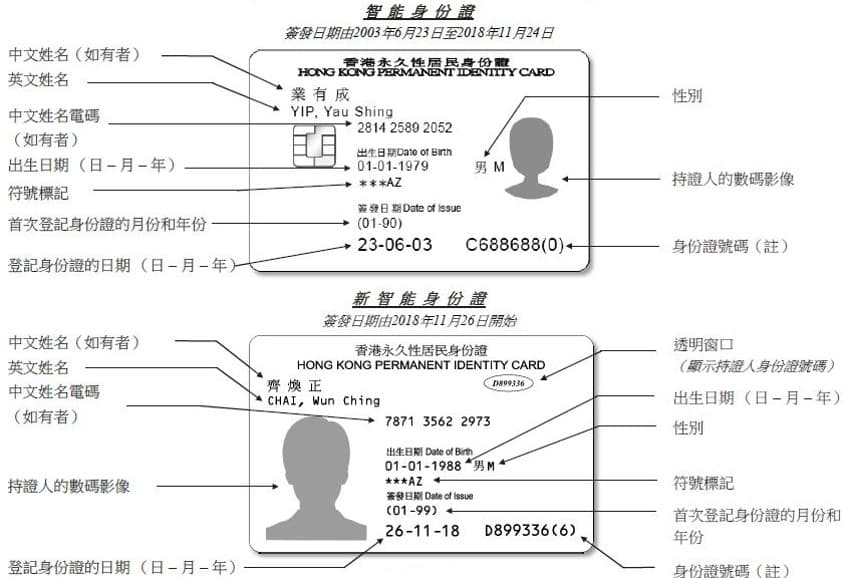
The HKID information attempted in this article is the identity card number (note) shown in the image above.
What does the first letter of an HKID represent?
Before 1983, the English letter of an HKID was determined by the location of the Registration of Persons office at the time. For example, Hong Kong Island used A, D, and H; Kowloon used B, E, and G; and the New Territories used C. If a newly registered person had no Chinese name, a double-letter prefix such as XA, XB, or XC would be used.
Starting from March (3) 28, 1983, anyone registering for an identity card for the first time would be issued an identity card with the letter K. Until August (8) 1, 1990 AD, the Registration of Persons Office began issuing identity cards with the letter P. Identity cards with the letter R began being issued on December (12) 28, 2000, while identity cards with the letter M began being issued on August (8) 1, 2011; identity cards with the letter F began being issued on February (2) 24, 2020 onward.
In addition, for people born in Hong Kong, starting from January (1) 1, 1980, their birth certificate number would usually become their future identity card number. This also gave rise to a batch of identity card numbers beginning with the letters Z (from 1980), Y (from 1989), S (from 2005), and N (from 2019).
Between 1989 and 1995, the Registration of Persons Office also issued identity cards with the letter W to people who came to Hong Kong to work under the Supplementary Labour Scheme and to foreign domestic helpers. After that and until 2019, new registration records for the two types of people above used the letters WX.
Outside these rules, the Registration of Persons Office also began issuing identity cards starting with the letter J to consular staff of consulates on October (10) 23, 1991, which could be described as quite distinctive.
Finally, there are also some letter-prefix rules that have been discontinued. For example, for children under 11 years old, the letter V was once used for the “Document of Identity for Visa Purposes” number, which would also be the future identity card number, but this rule was discontinued in 2003 and is no longer used. The Registration of Persons Office also briefly used the letters L and T to issue identity cards, but they too have long since been discontinued.
For unused letters such as I, O, Q, U, and X, further attention still needs to be paid to official notices from the Registration of Persons Office.
Activation Steps
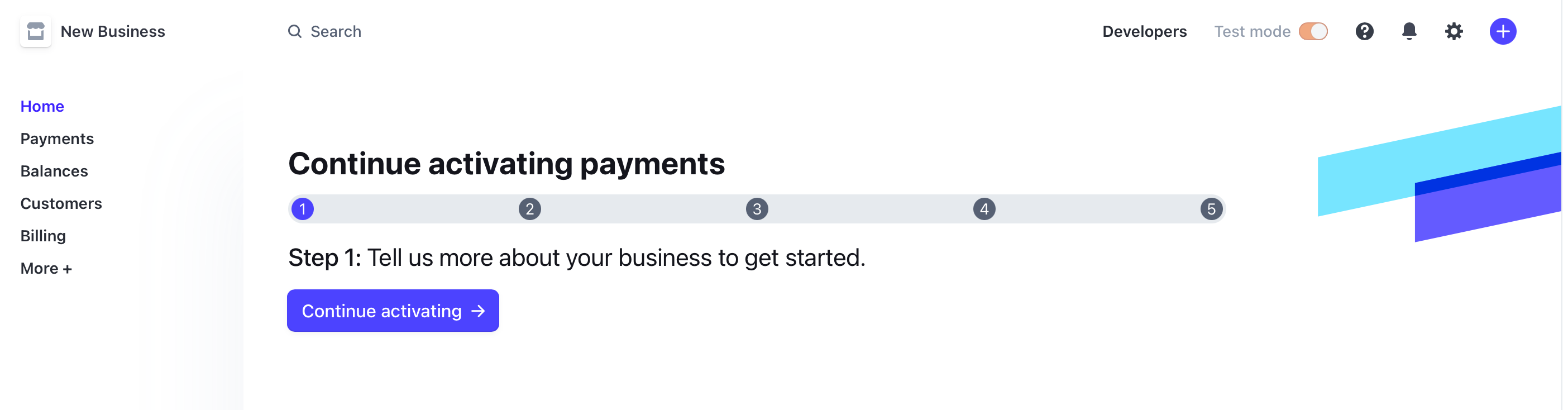
1. Start Activation
Log in to the Stripe account that has already been created and begin the activation steps.
2. Fill in Basic Information
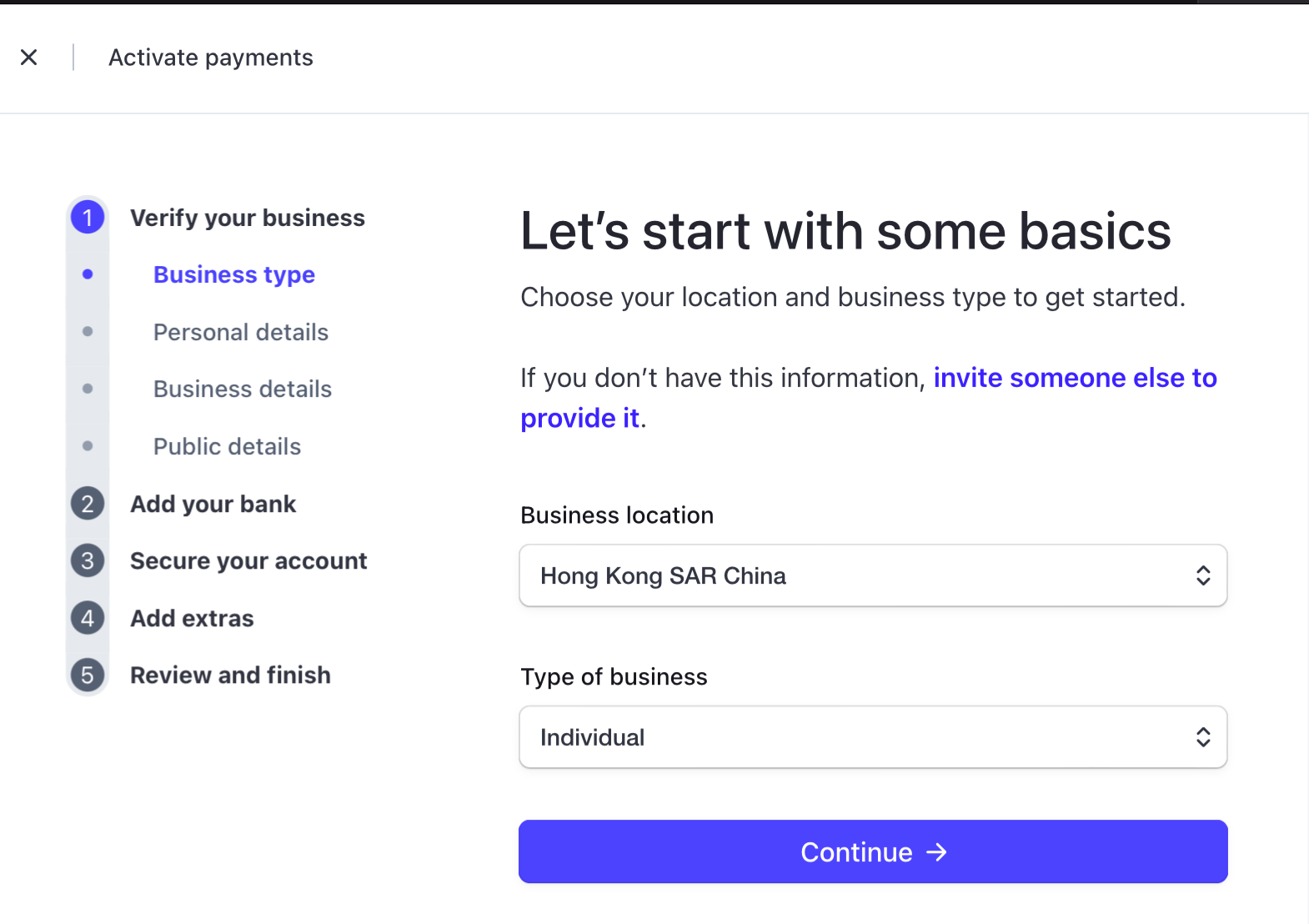
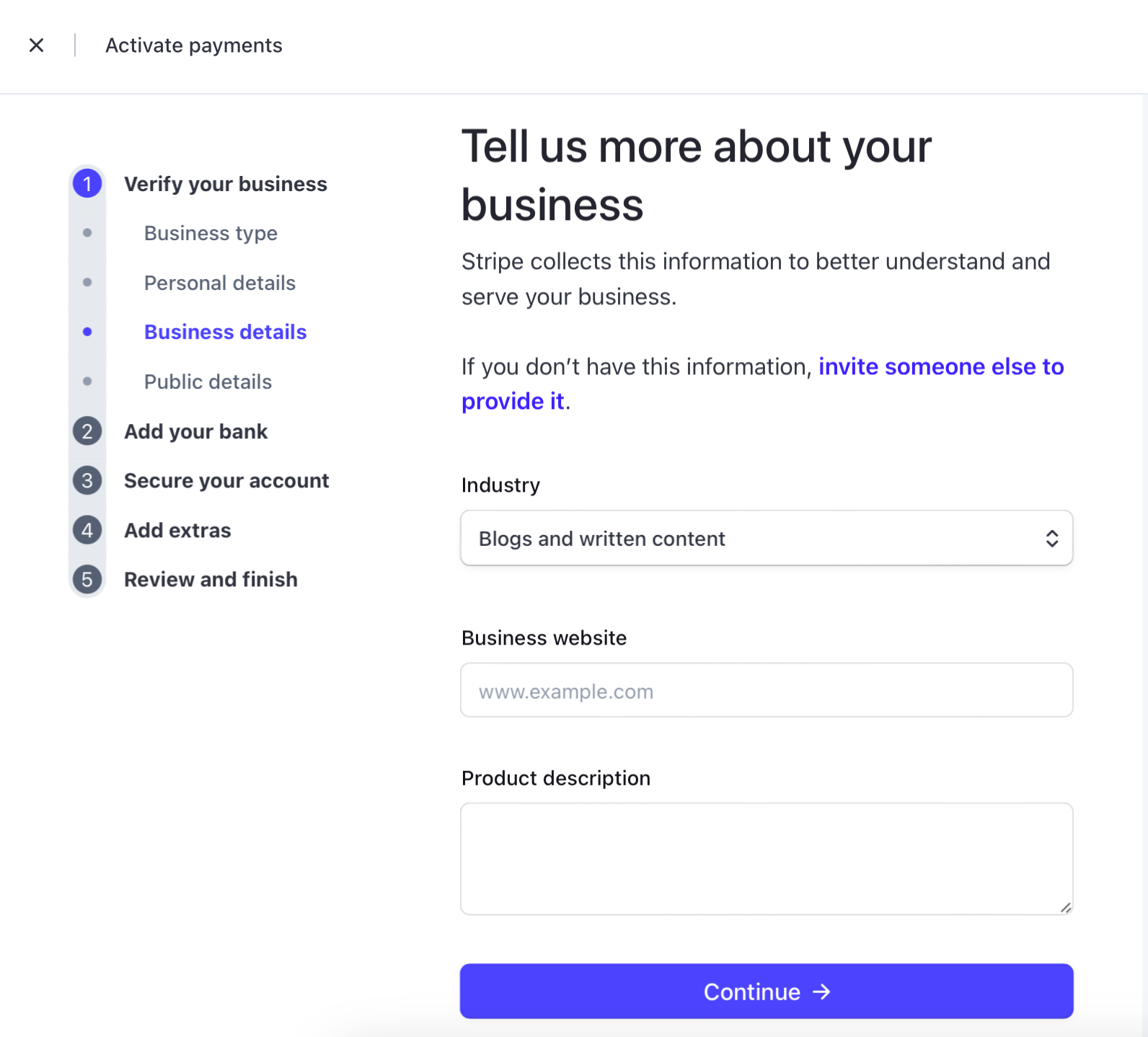
The basic information that needs to be filled in includes: Business type, Personal details, Business details, Public details.
For business type, choose an Individual located in Hong Kong:
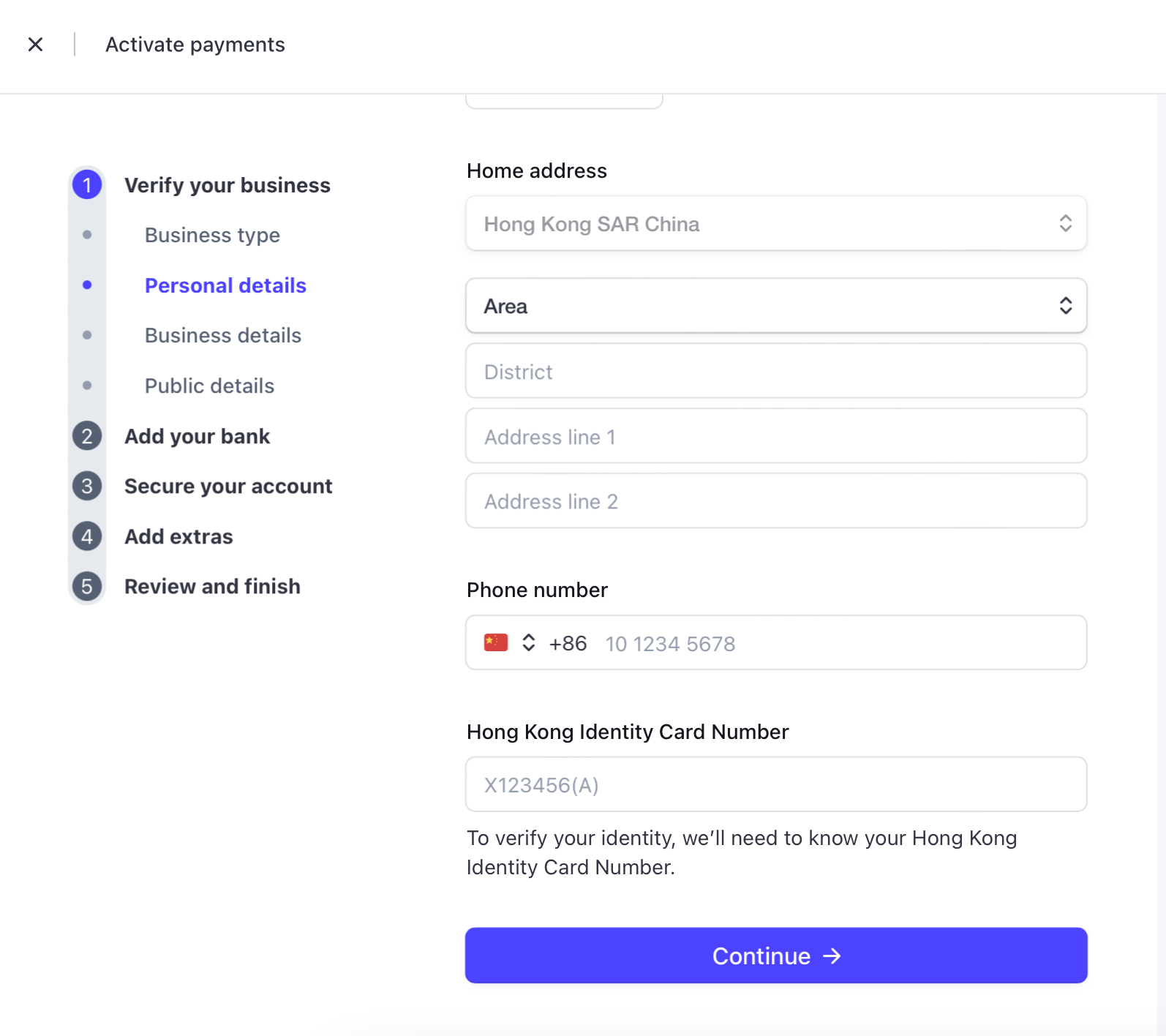
In personal details, legal name, email, and date of birth can be filled in truthfully. For the address, you can use the address of relatives or friends in Hong Kong, but be sure to use a real address. For the phone number, you can use a mainland China number, and Stripe’s SMS messages can be received normally. HKID has rule-based validation; if you directly use a mainland China passport number, it will not pass. However, HKID is not a required field here. Even if it is left blank, you can actually proceed to the next step, and you can leave it until the final step before completing it.
In business details, for industry, you can choose an item under the Digital products category, filling it in according to your actual business situation. For Business website, you can enter the domain of an independent site, or you can enter a URL from the X platform. Fill in the description truthfully. Here it should be noted that if you plan to enable Alipay or WeChat payment functions, it is strongly recommended to use an independent-site domain, and the site should already have products listed.
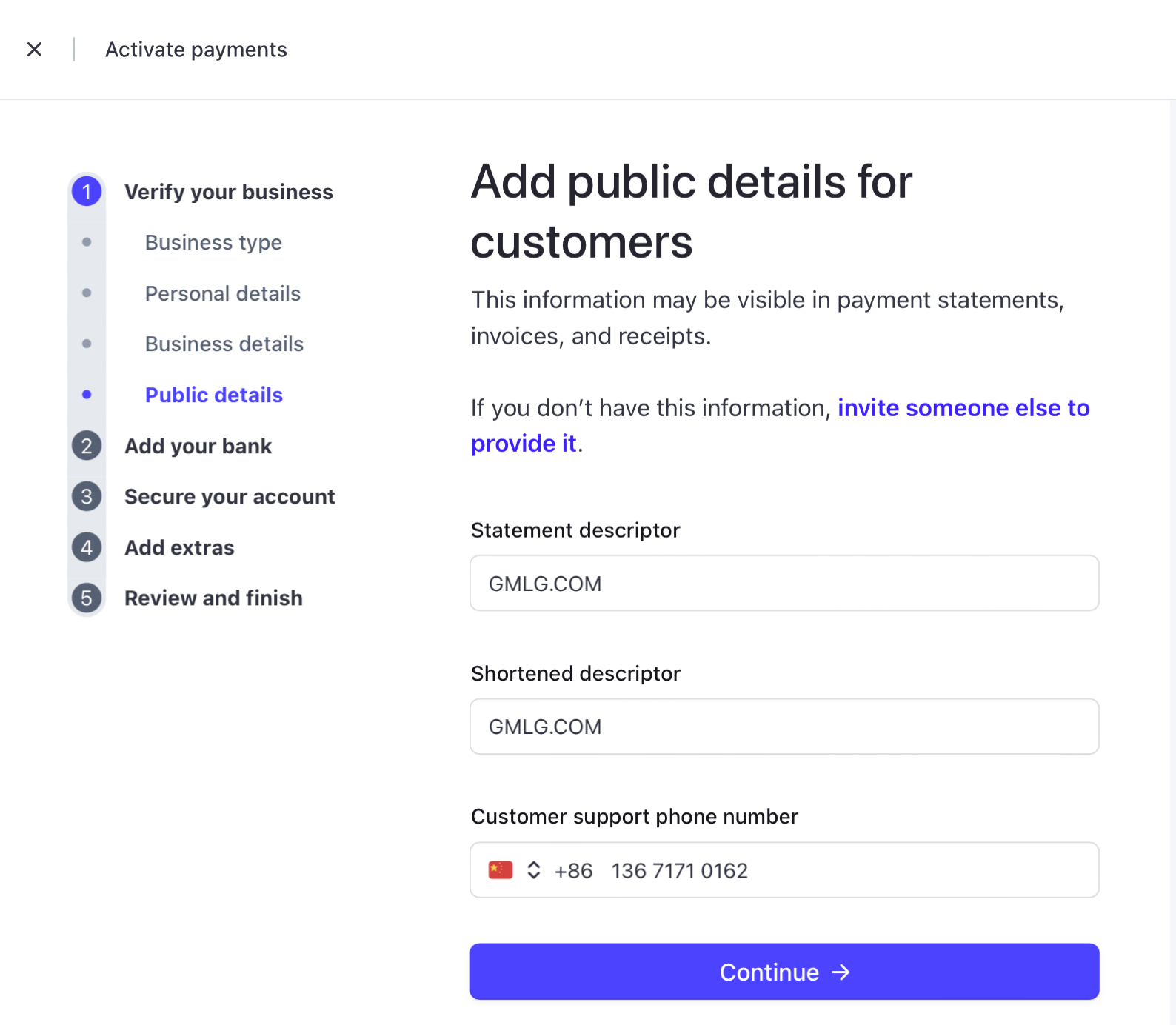
In public information, the Shortened descriptor will be displayed on the payment page. Just use a clear business abbreviation.
3. Fill in Bank Information
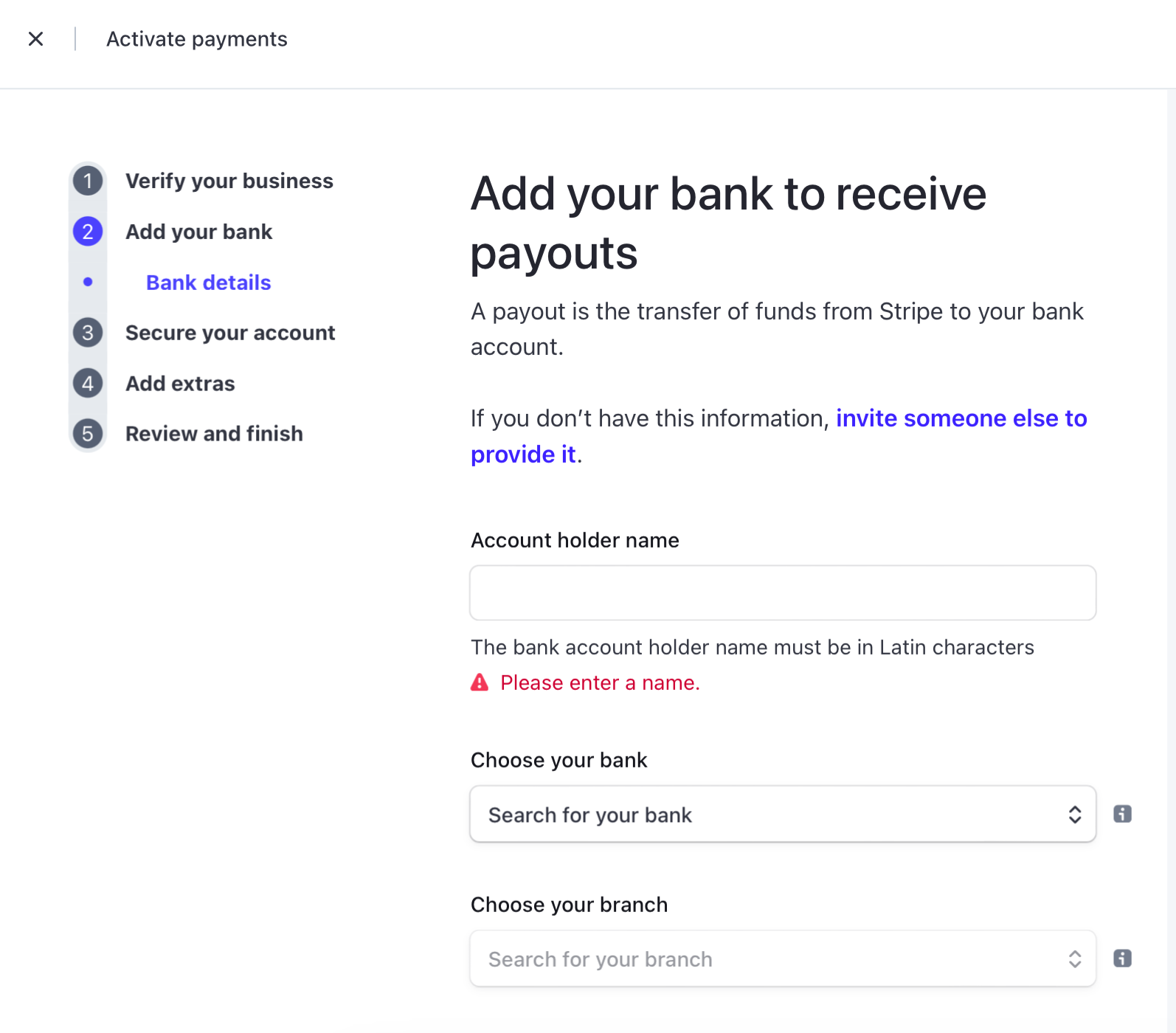
Filling in bank information is very important. It is recommended to use a Hong Kong bank account opened offline. Of course, you can also use a Hong Kong receiving account from WorldFirst, but WorldFirst now requires transaction details when withdrawing to domestic bank cards, which is not especially convenient.
4. Add Two-Step Verification
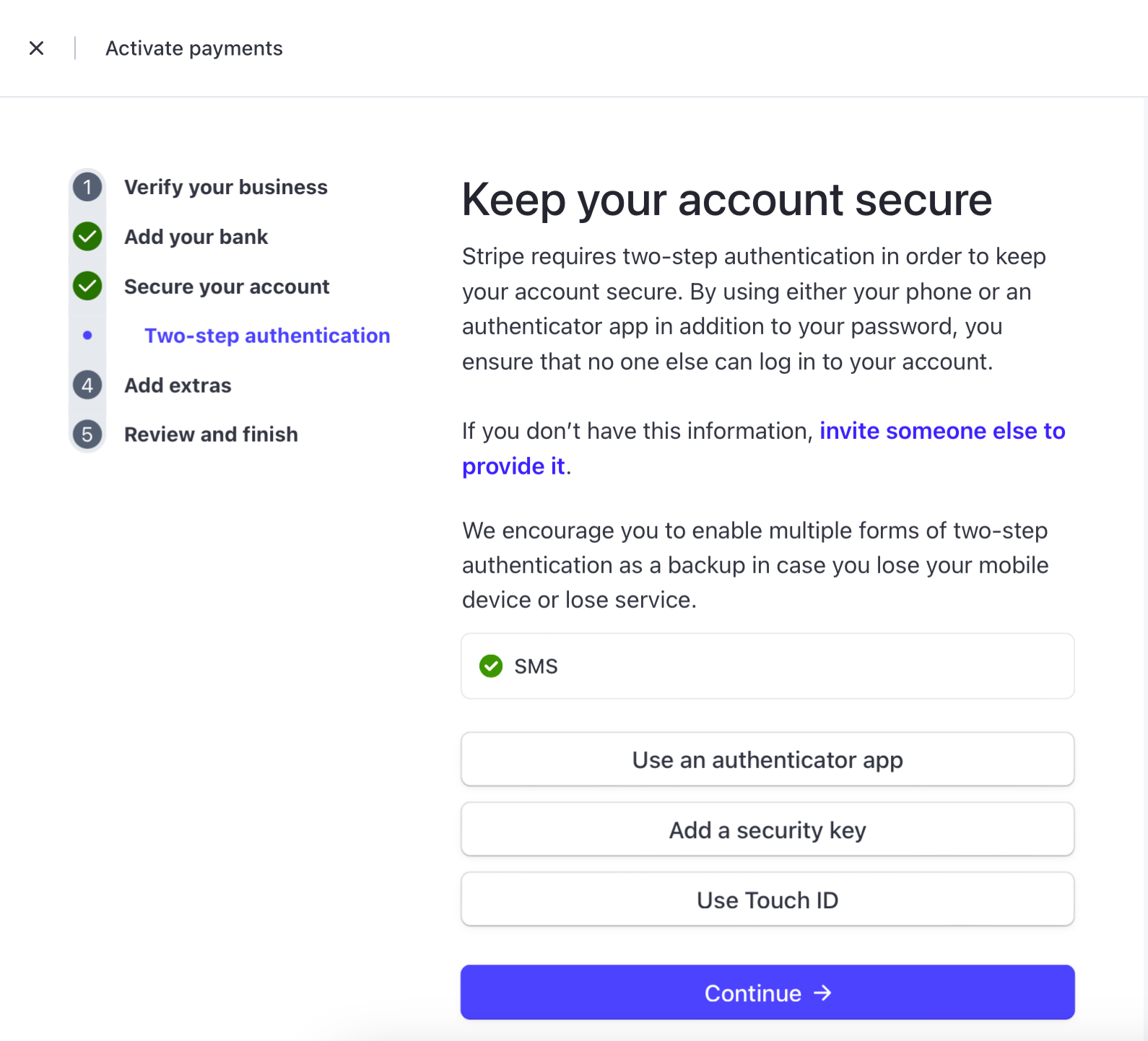
Add it as needed:
5. Fill in Tax Information
This part is optional:
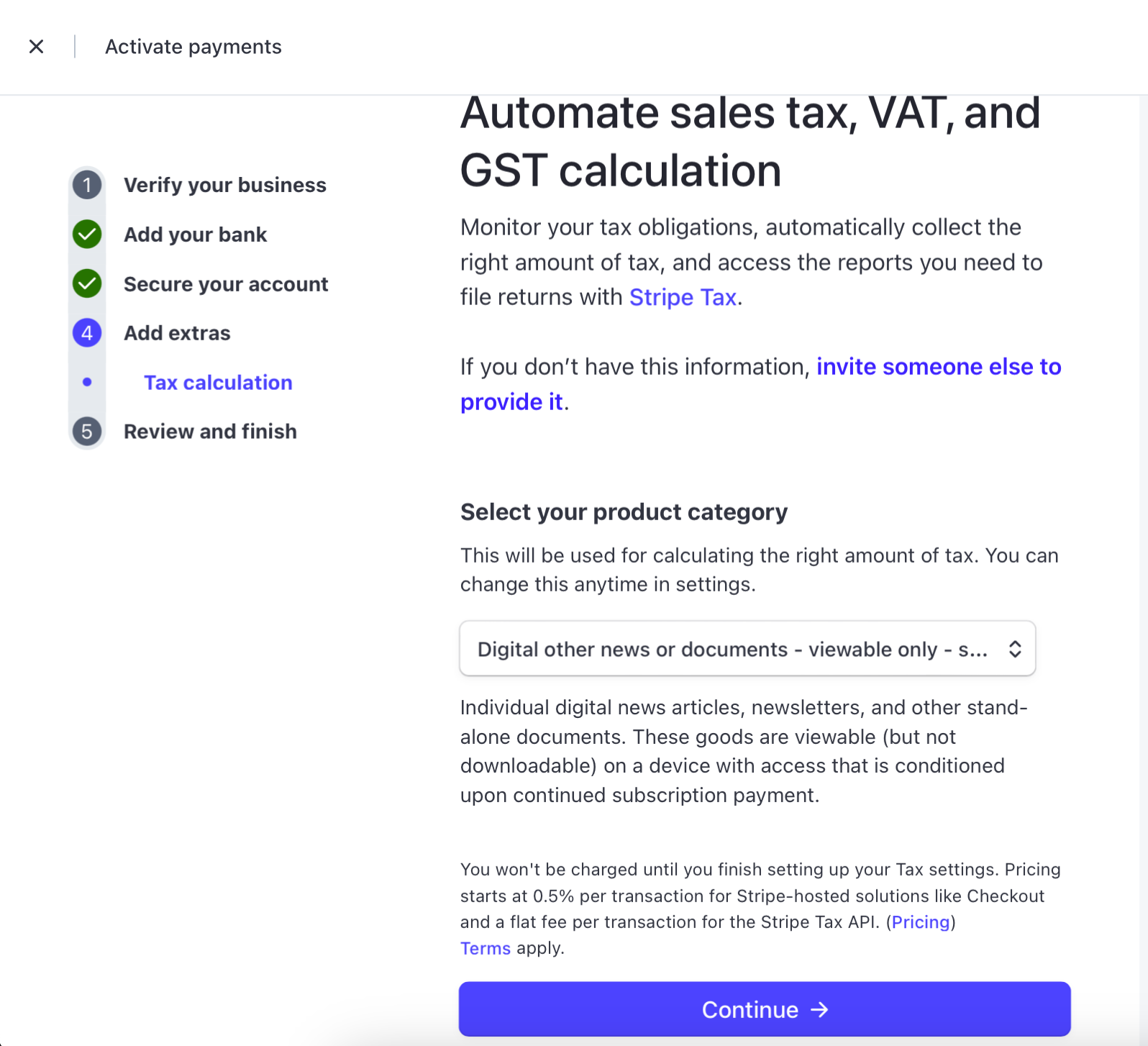
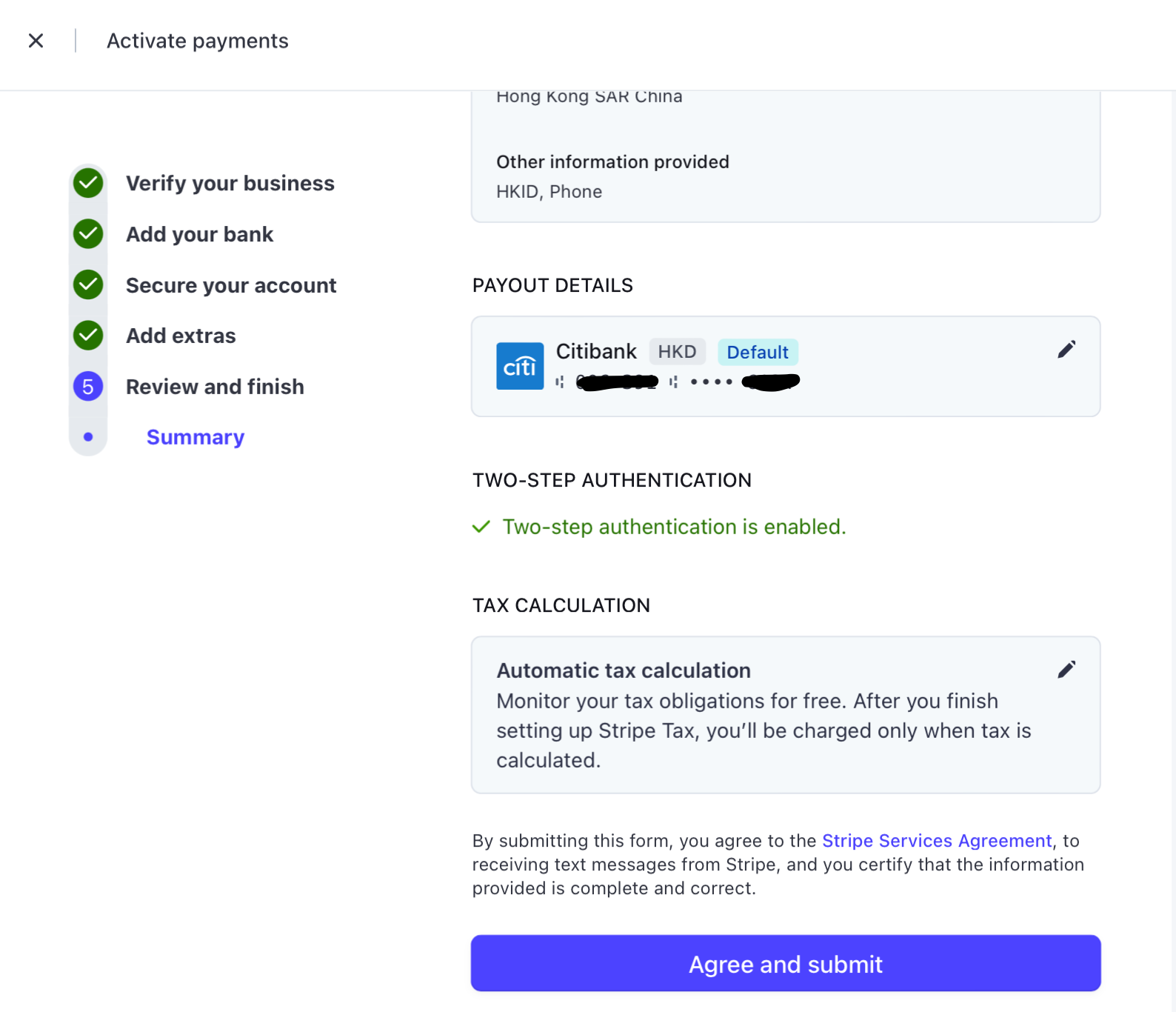
6. Agree and Submit
After filling everything in, you will enter the Review and finish check page. If the previous information is complete and correct, you can submit it.
7. Submit Additional Information
After submission is complete, the account still has not activated its payment-receiving function at this time. The system prompts that additional verification information is needed:

After opening it, the following is displayed, then click Update:
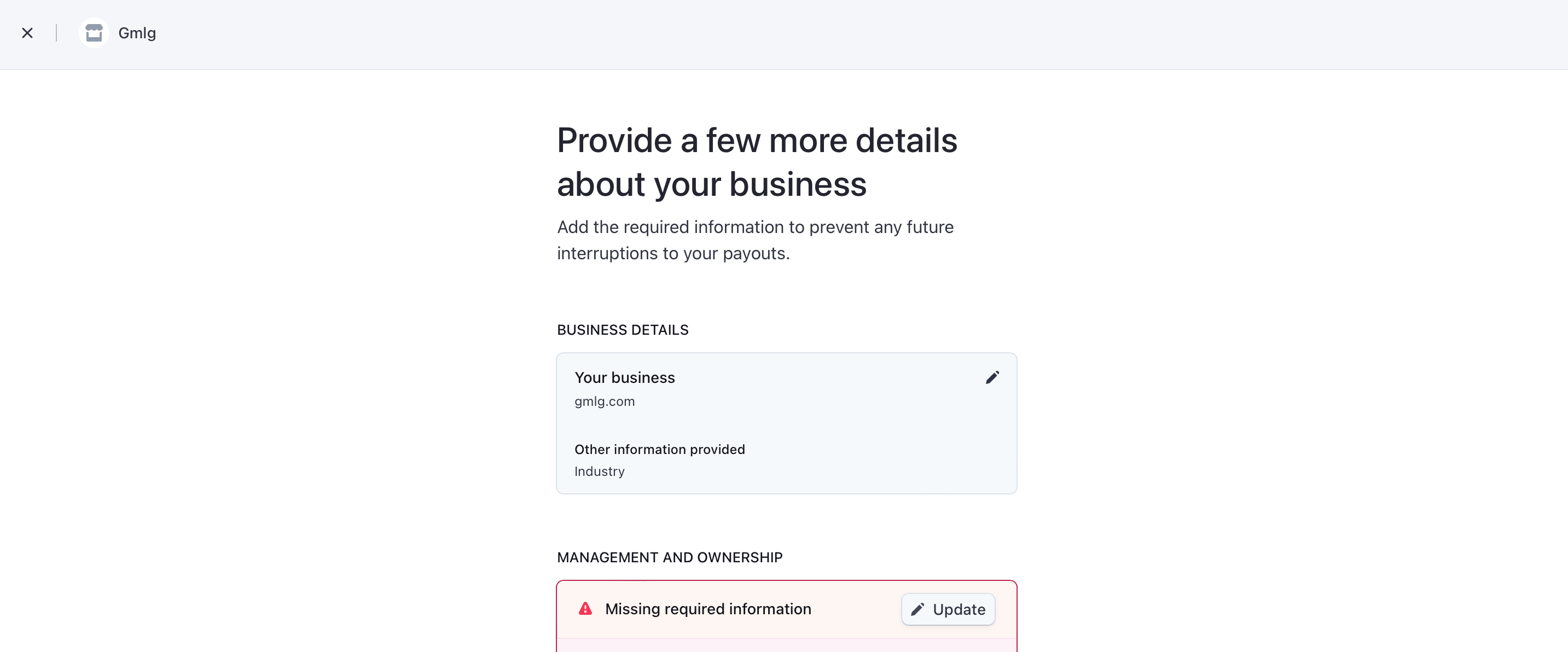
For additional security, please have this person finish verifying their identity with a government-issued ID.
Proof of identity document
The identity information you entered cannot be verified. Please correct any errors or upload a document that matches the identity fields (e.g., name and date of birth) that you entered.
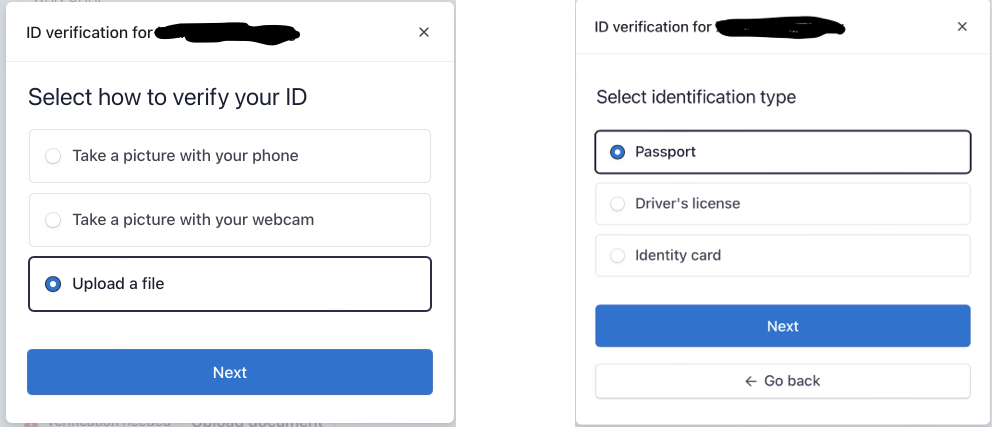
Click the edit button in the upper-right corner of the information box, try to update the HKID to the mainland China passport ID (it probably still cannot pass the field’s logical validation), and at the same time click Upload document:
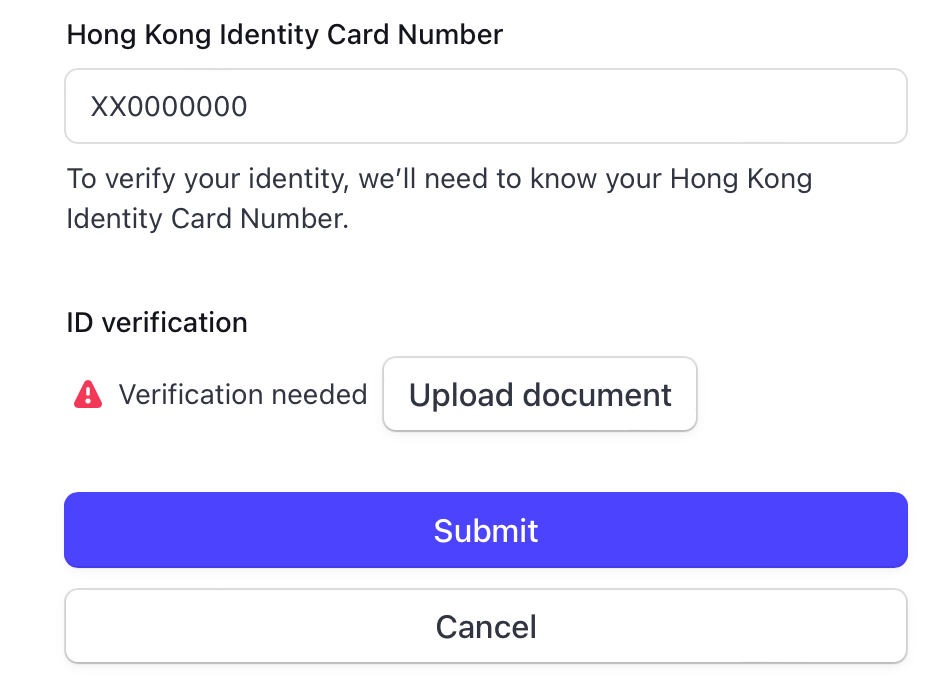
Upload a passport photo as prompted. Actually, I hesitated here for a while, since it is such sensitive personal information. But after glancing at the amount of losses in my stock account — forget it, just fill it in:
After submitting, under normal circumstances, the payment-receiving function should already be usable.
Summary
This time, the Professor activated it with a Hong Kong identity purely by accident. I do not recommend that everyone imitate this method for receiving payments for business services in a production environment. After all, Stripe’s current business scope does not include mainland China, and there may be unpredictable account risk-control issues in the future. However, it is still extremely helpful for development testing and for becoming familiar with Stripe’s entire payment system.
If you want to activate a Stripe account through regular channels, it is recommended that you register a Stripe account in the name of a company. Of course, it must be in a country or region currently supported by the business. Common choices include registering companies in Hong Kong, the United Kingdom, and the United States. Generally, there are fairly mature ways to complete this online, though there will be some costs.
Finally, I wish all readers wealth and abundant fortune!