Tutorial
Quickly Deploying FreshRSS and RSSHub on an OCI ARM Instance with Docker and Traefik
After learning how to deploy container services with Traefik, let's look at how to quickly deploy the open-source RSS management tools FreshRSS and RSSHub on an OCI ARM instance through Docker, making it easier to enjoy more immersive reading.
On this page
Background
For a long time, I read technical articles on a certain Q&A platform. Unfortunately, that platform’s algorithm always seemed to push odd, curiosity-driven topics at me, and there were simply too many ads. In the end, I decisively deleted the app, and the world instantly became quiet. After that, my main way of reading became browsing independent blogs. It was rather clumsy: I would read them in the mobile browser, and once the tabs were closed, I would forget about them. A couple of days ago, I downloaded Reeder 5 on the iPad as an RSS reader and found the interface quite nice, so I decided to self-host an RSS service to make daily use and management easier and improve the reading experience.
Sure enough, good habits are often forced onto the self-hosting path by free internet services. I have to sigh: free things are the most expensive after all!
Basic Concepts
RSS is a web/news-feed format often expanded as RDF Site Summary or Really Simple Syndication. It is a text format written in XML for publishing news headlines and content on the internet in a fully automated way. RSS is a type of web/news feed format specification that can aggregate content updates from source websites and automatically notify users (subscribers).
FreshRSS is a self-hosted RSS feed aggregator based on PHP. It is lightweight, easy to use, powerful, and customizable. It is feature-rich and powerful, supports multiple users, and has an anonymous reading mode. It also supports custom tags and provides application interfaces and a command-line interface based on the Google Reader API (recommended) and the Fever API (partially limited in features and efficiency).
RSSHub is an open-source, easy-to-use, and extensible RSS feed generator that can generate RSS feeds from almost anything. RSSHub provides millions of pieces of content aggregated from various sources and can be used together with the browser extension RSSHub Radar and the mobile helper apps RSSBud (iOS) and RSSAid (Android).
In simple terms, we can use RSSHub to aggregate any content that does not support RSS into RSS feeds, then add those feeds to FreshRSS for management. After that, we can use FreshRSS’s GReader API to import the content into client apps for reading, ultimately achieving the effect of making everything readable. The main advantage is that we no longer need to tolerate those inexplicable algorithms. It is old-school, but useful.
Prerequisites
- You already have a cloud service instance (this article is based on practice with an Oracle Cloud Infrastructure ARM instance)
- Docker and Docker Compose have been deployed
- Traefik has been deployed
Deployment Steps
1. Deployment Approach
The official FreshRSS image says that it supports ARM devices and can even run on a Raspberry Pi (Raspberry P 1). However, during actual setup I found that if I used the official image image: freshrss/freshrss, the freshrss service on Oracle OCI’s ARM instance would exit endlessly and could not run normally.
Fortunately, the Linuxserver team also provides a FreshRSS image, using image: lscr.io/linuxserver/freshrss, which offers perfect support for arm64 devices.
For RSSHub, we can deploy it using the official docker-compose.yml example file. Considering that we will mainly use it together with FreshRSS on a single server, we will put it in the same docker-compose.yml file as FreshRSS.
When using Traefik as the reverse proxy, we configure a domain for FreshRSS. For RSSHub, it is enough to define the hostname clearly and add the service to the same network; later we can directly use the hostname to invoke RSSHub’s functionality.
2. Configuration File Example
The complete docker-compose.yml file is as follows. Please point rss.yourdomain.com to your cloud instance IP address at your domain provider in advance:
version: "3"

services:
  freshrss-db:
    image: postgres:latest
    container_name: freshrss-db
    hostname: freshrss-db
    restart: always
    volumes:
      - freshrss-db:/var/lib/postgresql/data
    environment:
      POSTGRES_USER: username       # 不建议明文,可以使用docker secrets配置
      POSTGRES_PASSWORD: password  # 不建议明文,可以使用docker secrets配置
      POSTGRES_DB: database_name         # 不建议明文,可以使用docker secrets配置
    networks:
      - proxy

  freshrss-app:
    image: ghcr.io/linuxserver/freshrss
    container_name: freshrss-app
    hostname: freshrss-app
    restart: unless-stopped
    logging:
      options:
        max-size: 10m
    ports:
      - "39954:80"                   # 映射端口
    depends_on:
      - freshrss-db
      - rsshub
    volumes:
      - ./config:/config  # 插件目录/config/www/FreshRSS/extensions,用于后续安装插件
    environment:
      CRON_MIN: '*/45'        # RSS 刷新周期,单位为分钟,*/45 表示每 45 分钟刷新一次
      TZ: Asia/Shanghai       # 时区
      TRUSTED_PROXY: 172.16.0.1/12 192.168.0.1/16
    labels:
      - traefik.enable=true
      - traefik.docker.network=proxy
      - traefik.http.routers.freshrss.entrypoints=websecure
      - traefik.http.routers.freshrss.rule=Host(`rss.yourdomain.com`)
      - traefik.http.routers.freshrss.middlewares=default@file
      - traefik.http.routers.freshrss.middlewares=error-pages
    networks:
      - proxy

  rsshub:
      # two ways to enable puppeteer:
      # * comment out marked lines, then use this image instead: diygod/rsshub:chromium-bundled
      # * (consumes more disk space and memory) leave everything unchange
    image: diygod/rsshub
    container_name: rsshub
    hostname: rsshub
    restart: always
    ports:
      - '1200:1200'
    environment:
      NODE_ENV: production
      CACHE_TYPE: redis
      REDIS_URL: 'redis://redis:6379/'
      PUPPETEER_WS_ENDPOINT: 'ws://browserless:3000'  # marked
      PROXY_URI: 'socks5h://warp-socks:9091'
    depends_on:
      - redis
      - browserless  # marked
    networks:
      - proxy

  browserless:  # marked
    image: browserless/chrome  # marked
    restart: always  # marked
    ulimits:  # marked
      core:  # marked
        hard: 0  # marked
        soft: 0  # marked
    networks:
      - proxy

  redis:
    image: redis:alpine
    restart: always
    volumes:
      - redis-data:/data
    networks:
      - proxy

  warp-socks:
    image: monius/docker-warp-socks:latest
    privileged: true
    volumes:
      - /lib/modules:/lib/modules
    cap_add:
      - NET_ADMIN
      - SYS_ADMIN
    sysctls:
      net.ipv6.conf.all.disable_ipv6: 0
      net.ipv4.conf.all.src_valid_mark: 1
    healthcheck:
      test: ["CMD", "curl", "-f", "https://www.cloudflare.com/cdn-cgi/trace"]
      interval: 30s
      timeout: 10s
      retries: 5
    networks:
      - proxy


volumes:
  freshrss-db:
  redis-data:
  config:

networks:
  proxy:
    external: true
3. Starting the Service
Now let’s start the service in the terminal:
# 首次开启服务请避免加上 -d
sudo docker compose up
After all services are running normally, keep the service resident in the background:
sudo docker compose down && sudo docker compose up -d4. Visit the URL to Complete FreshRSS Front-End Configuration
Open the host URL rss.yourdomain.com defined earlier in the docker-compose.yml configuration file in your browser. The first visit will automatically trigger the FreshRSS configuration steps.
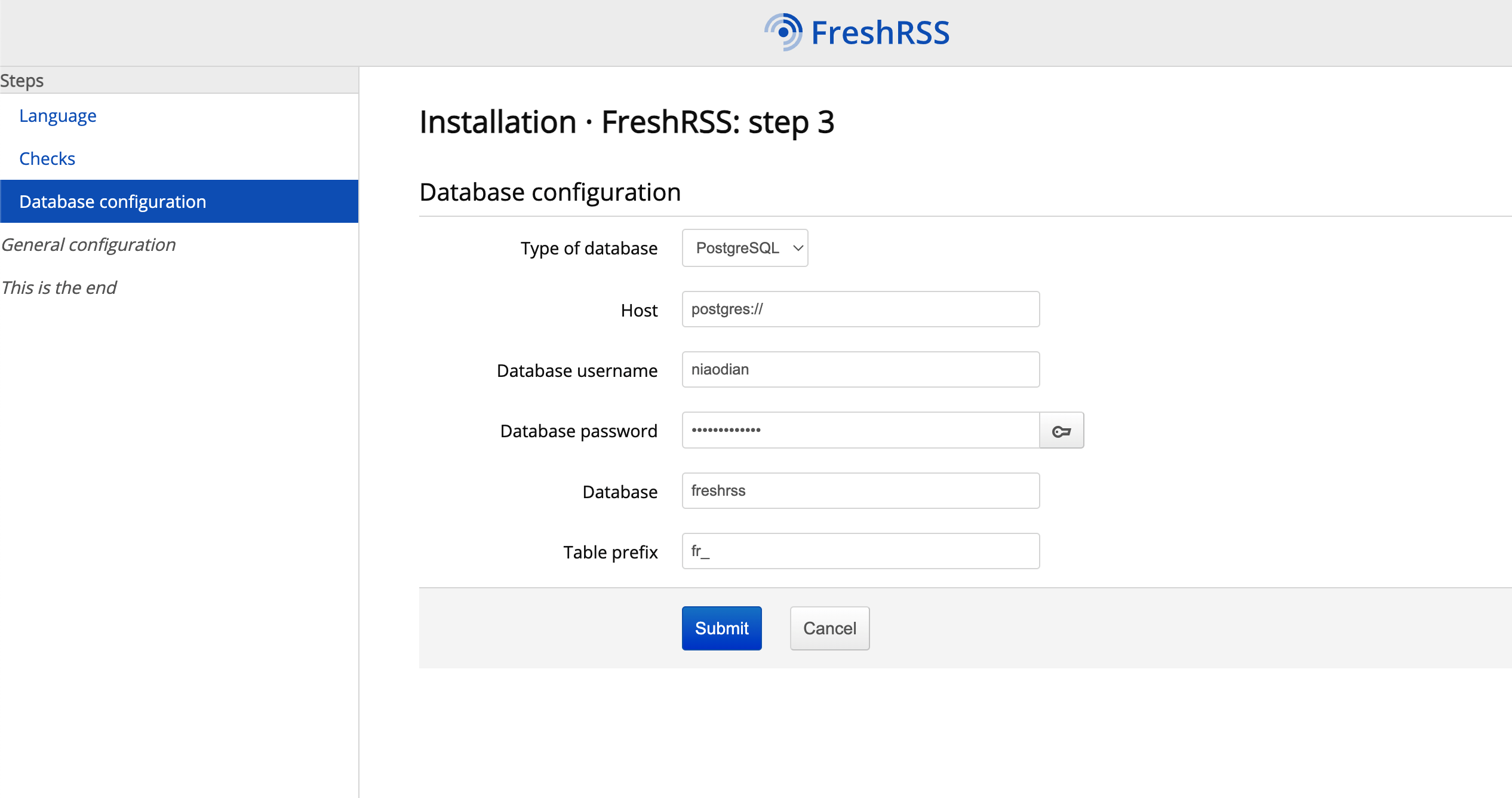
The configuration is relatively simple. The only thing to note is step 3: for Database type, choose the PostgreSQL database we built in the docker-compose.yml configuration file, and for Host, enter the hostname freshrss-db that we defined for the database service in the configuration file. For the database username, password, and database name, fill in the values you used in the actual configuration.
The image below is a step 3 example. The Host value shown was written by me for testing and is not actually usable; it must be changed to the hostname defined in Docker: freshrss-db.
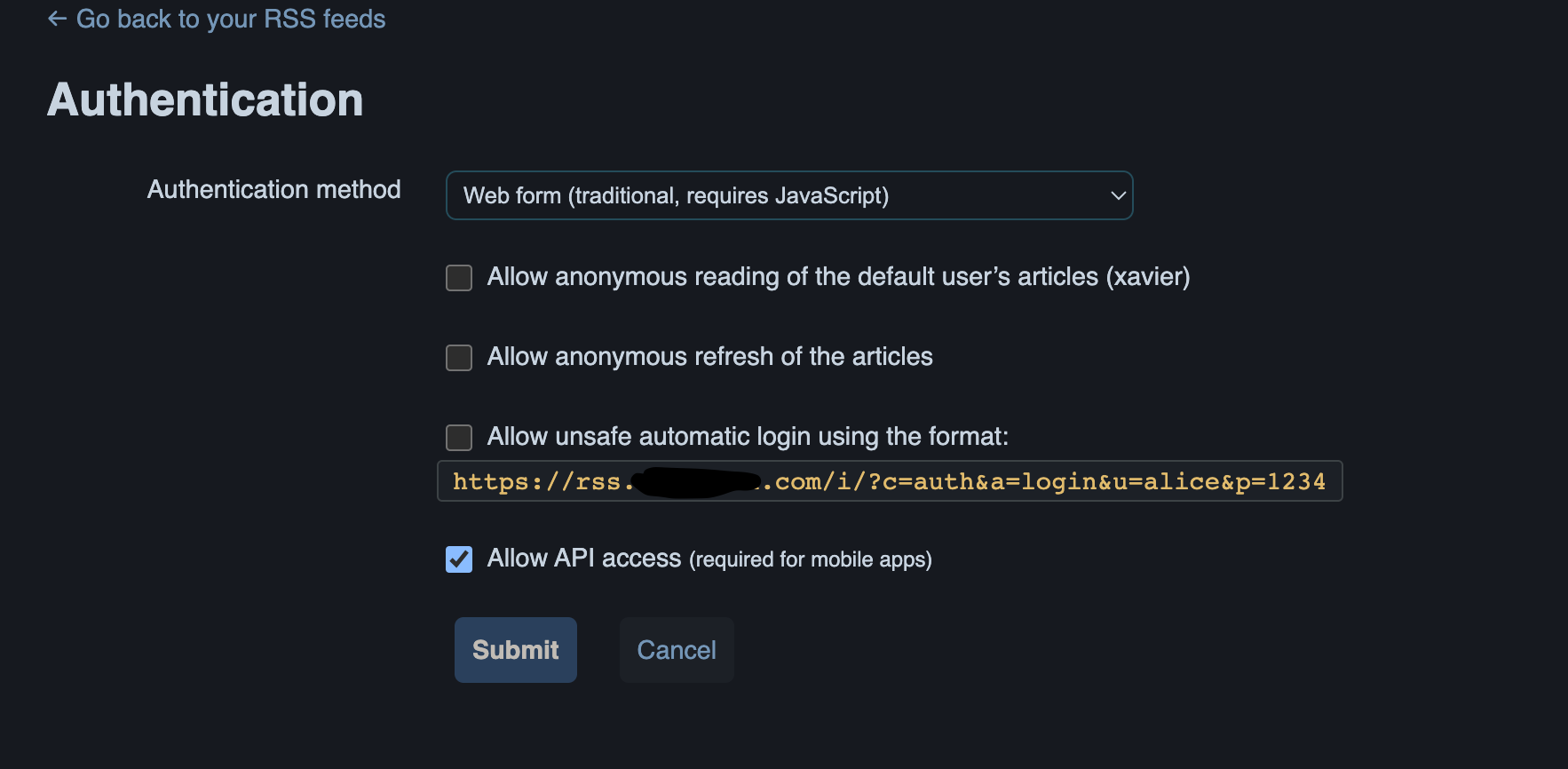
Go to the system settings page in the upper right corner (Authentication) and enable API access:
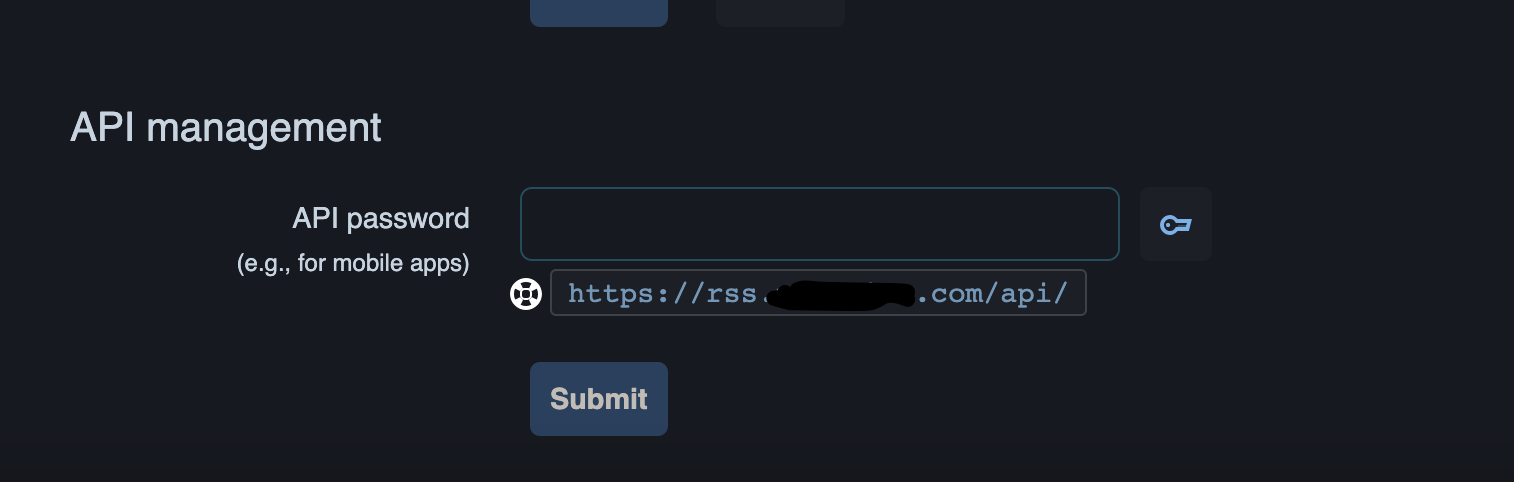
Go to the profile page (Profile) and set the API password:
5. Installing FreshRSS Plugins
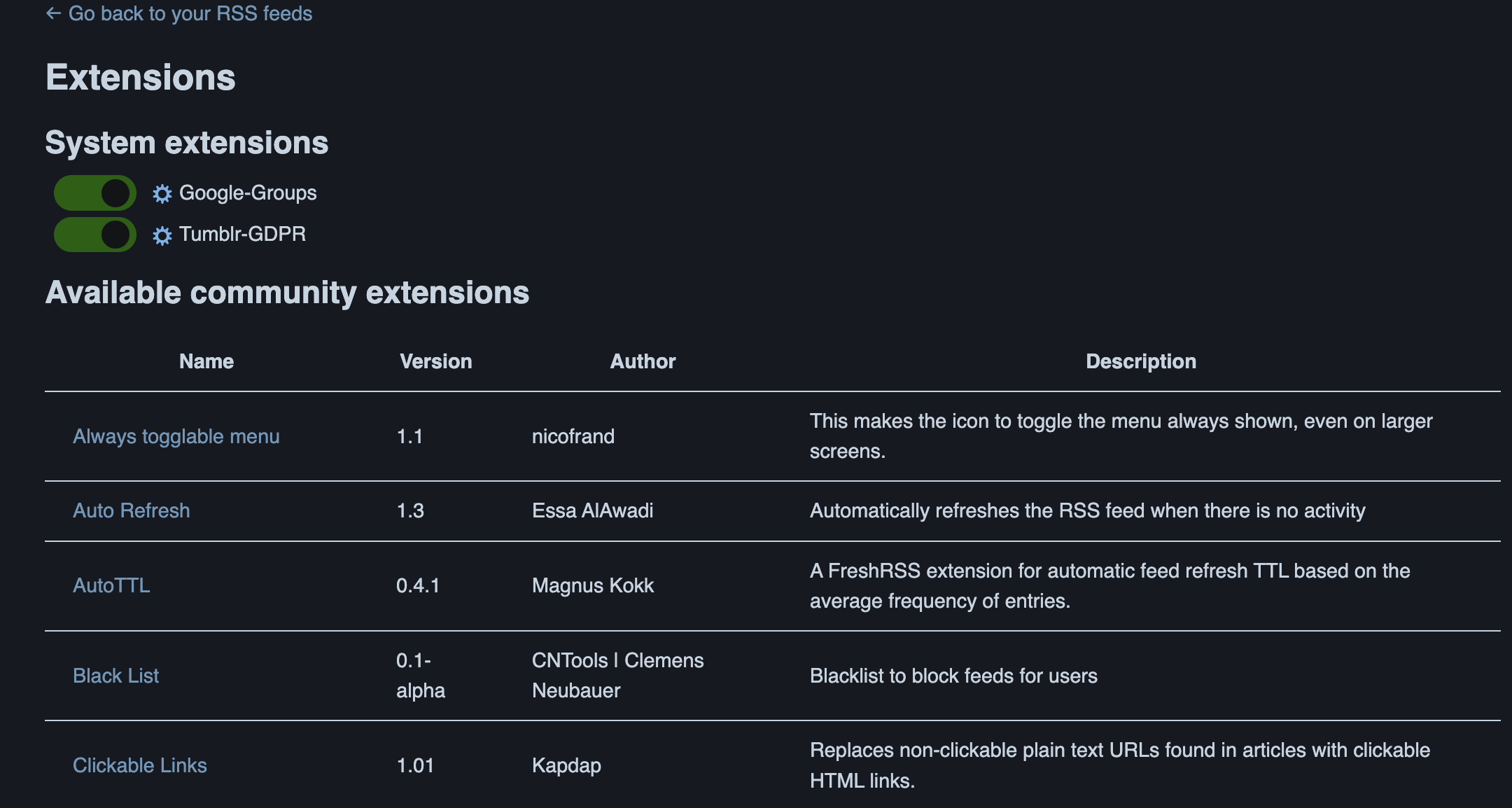
FreshRSS has an extremely rich plugin ecosystem. You can go to the plugin section in settings to view the list of available community plugins:
Plugin installation is actually very simple. Although you cannot install them directly from the front-end page, the process is not complicated. We will use the LaTeX support plugin as an example.
First, go to the extensions folder:
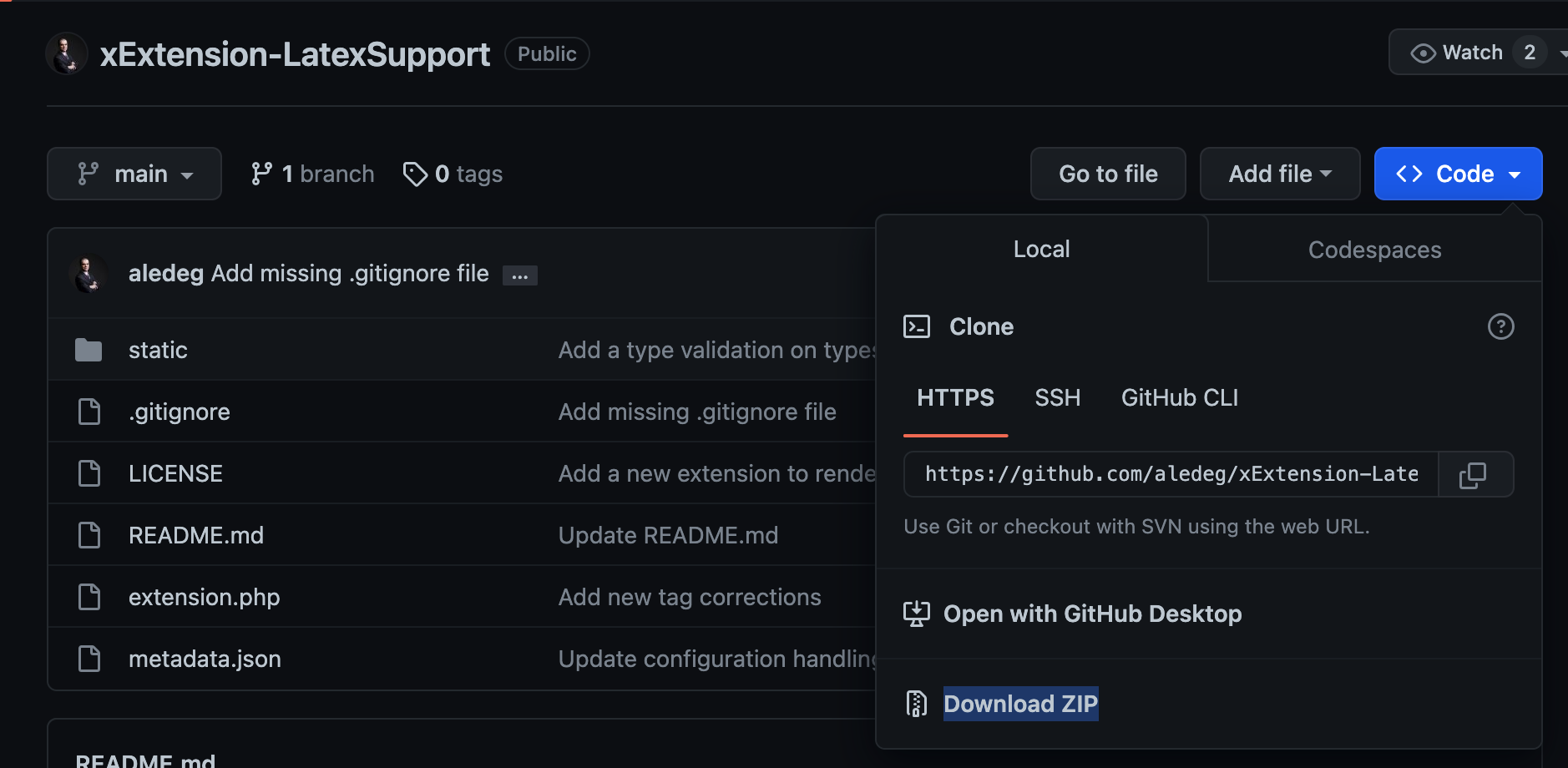
cd src/apps/rss.example.com/config/www/freshrss/extensionsThen download the zip extension package for LaTeX support from GitHub:
sudo wget https://github.com/aledeg/xExtension-LatexSupport/archive/refs/heads/main.zipAs shown:
Next, unzip the downloaded zip package:
sudo unzip main.zip && sudo rm main.zipRefresh the extensions page. Guess what appears?
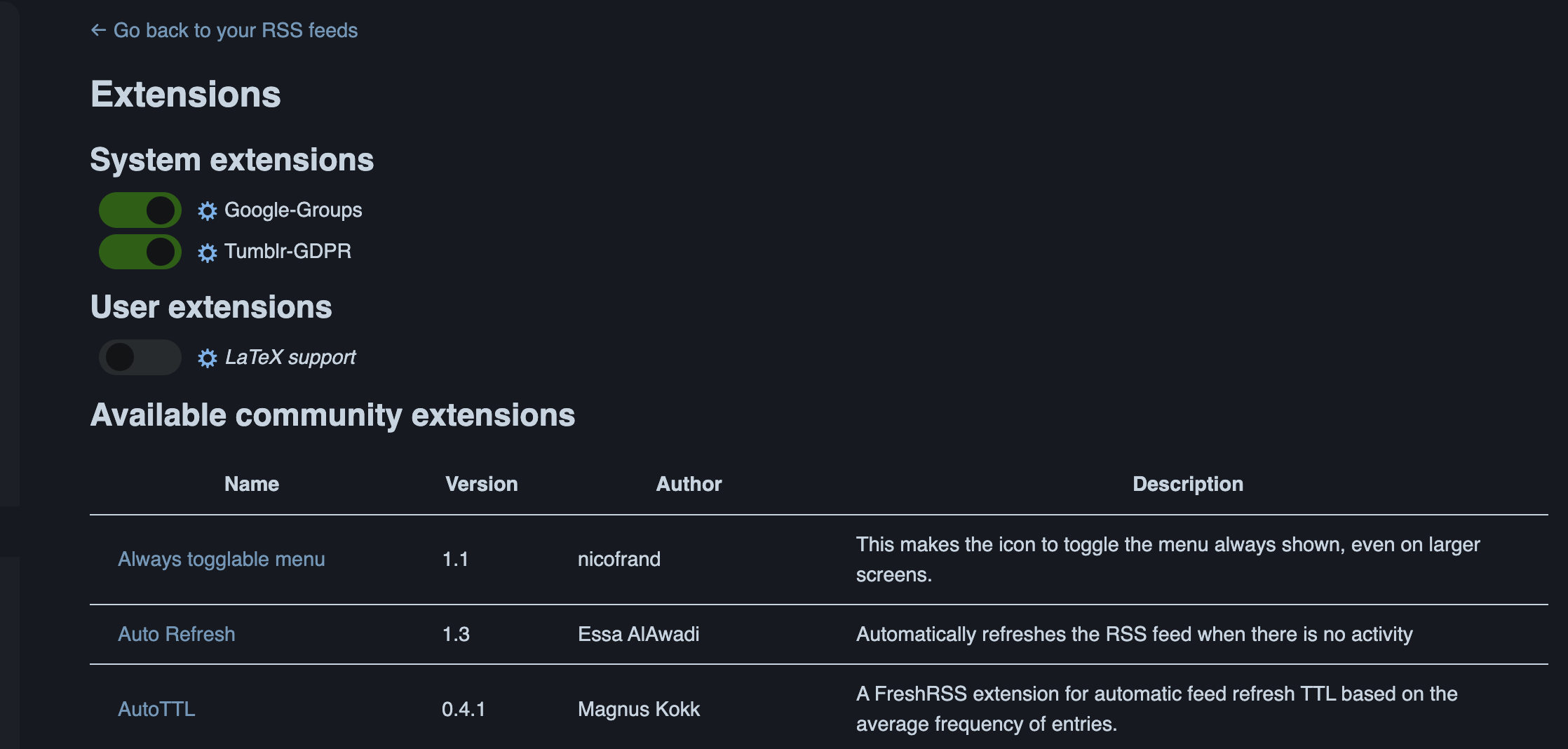
Hurry up and try other plugins, and enjoy playing with them! But note that some plugins require additional dependent services, so please read the introductions on their GitHub pages carefully.
6. Using RSSHub
Main reference from the official documentation: Generate an RSS Feed
Using the generation of a bilibili user’s bangumi feed as an example, let’s explain how to configure a self-hosted RSSHub to generate a custom Feed.
The official example’s Feed generation logic is: RSSHub服务地址 + 目标服务路径 + 目标ID, for example https://rsshub.app/bilibili/bangumi/media/9192
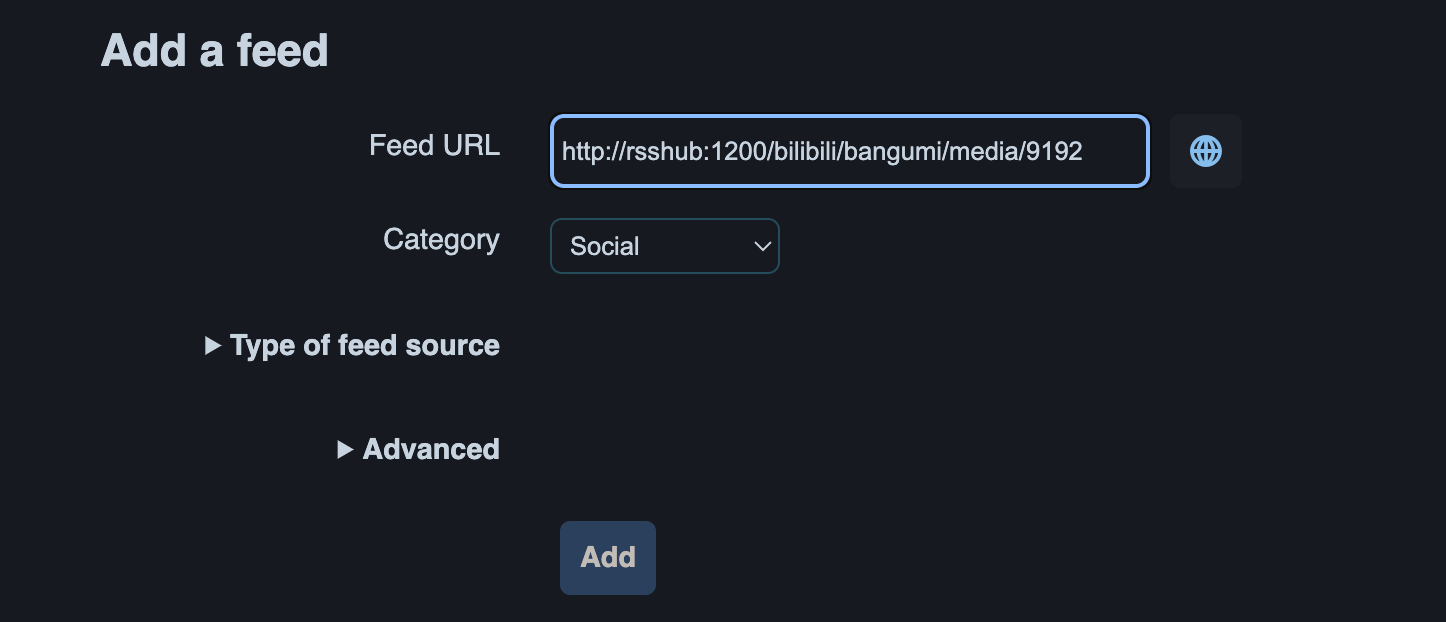
Therefore, if our self-hosted RSSHub needs to track bangumi series, the Feed should be written like this:
http://rsshub:1200/bilibili/bangumi/media/9192Note: rsshub in the URL is the hostname defined earlier when configuring the docker-compose.yml file.
The official fetching rule is described as follows:
路径规则: /bilibili/bangumi/media/:mediaid

参数:
mediaid为必须值 - 番剧媒体 id, 番剧主页 URL 中获取
Next, we add this custom Feed to FreshRSS.
7. Adding an RSSHub Source in FreshRSS
Add the custom RSSHub Feed source:
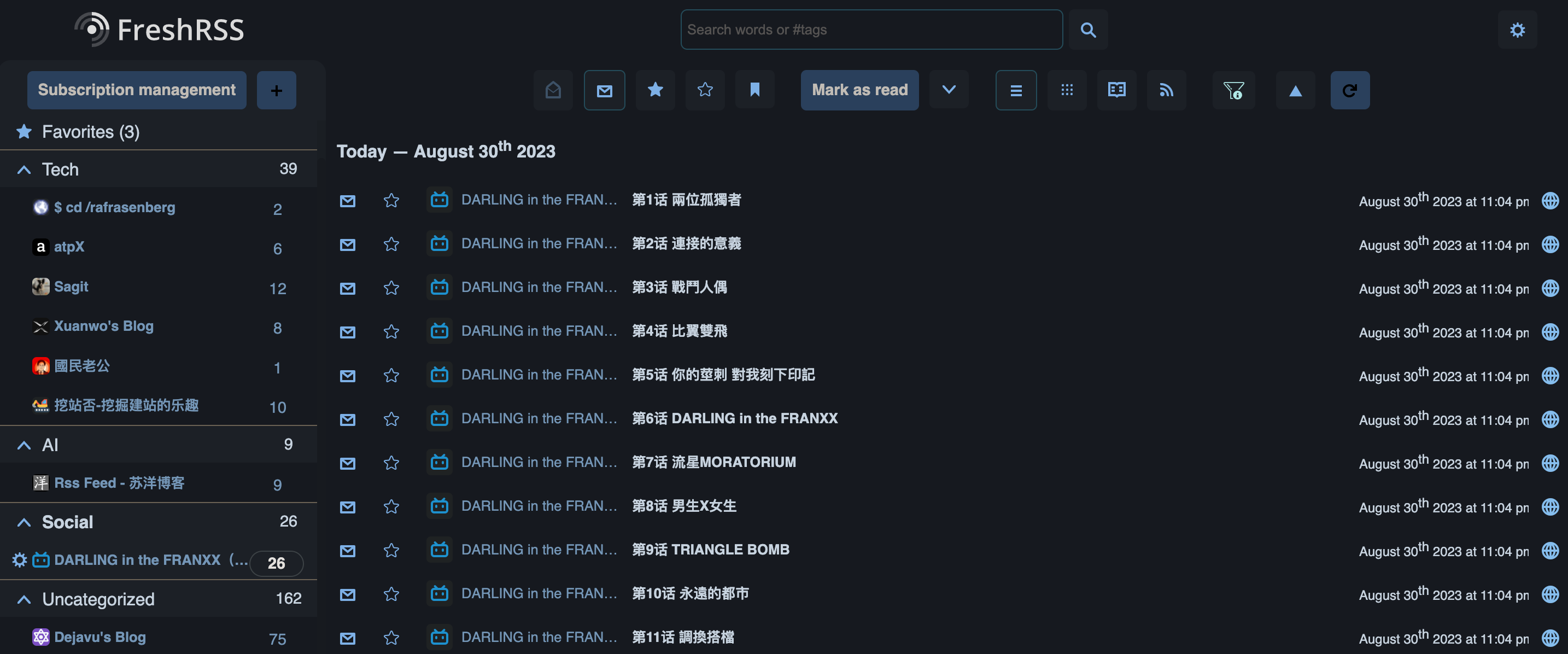
Successfully added:
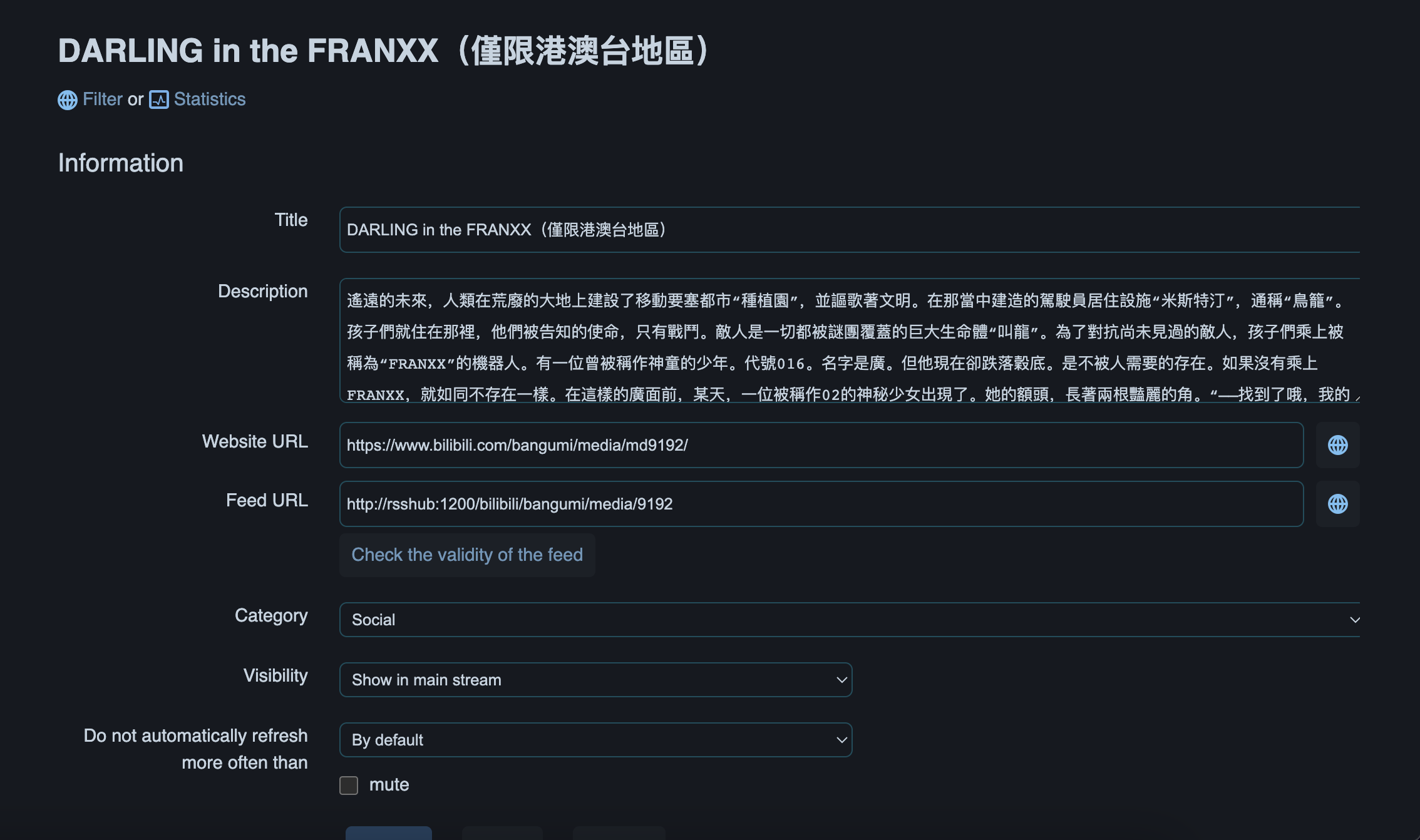
Fetch result:
8. Configuring Client Access
Finally, we configure FreshRSS access on the client. I use Reeder 5 on the iPad as the example. If you want a free RSS reader, NetNewsWire is also a good choice.
When first entering Reeder 5 and selecting the self-hosted FreshRSS service, it prompts you to enter Server, Username, and Password. After entering everything as required, clicking Sign in kept showing a login error, which gave me a huge headache; I thought the USD 4.99 I spent on Reeder 5 had gone down the drain.
After searching around, I found that someone had reported an issue on GitHub a long time ago: Reeder 5 iOS unable to login to FreshRSS?, but it remained unresolved. Fortunately, the clever me finally saw the essence of the problem, uncovered the truth, and casually left a comment that saved the people from misery (this is where applause belongs 👏👏👏):
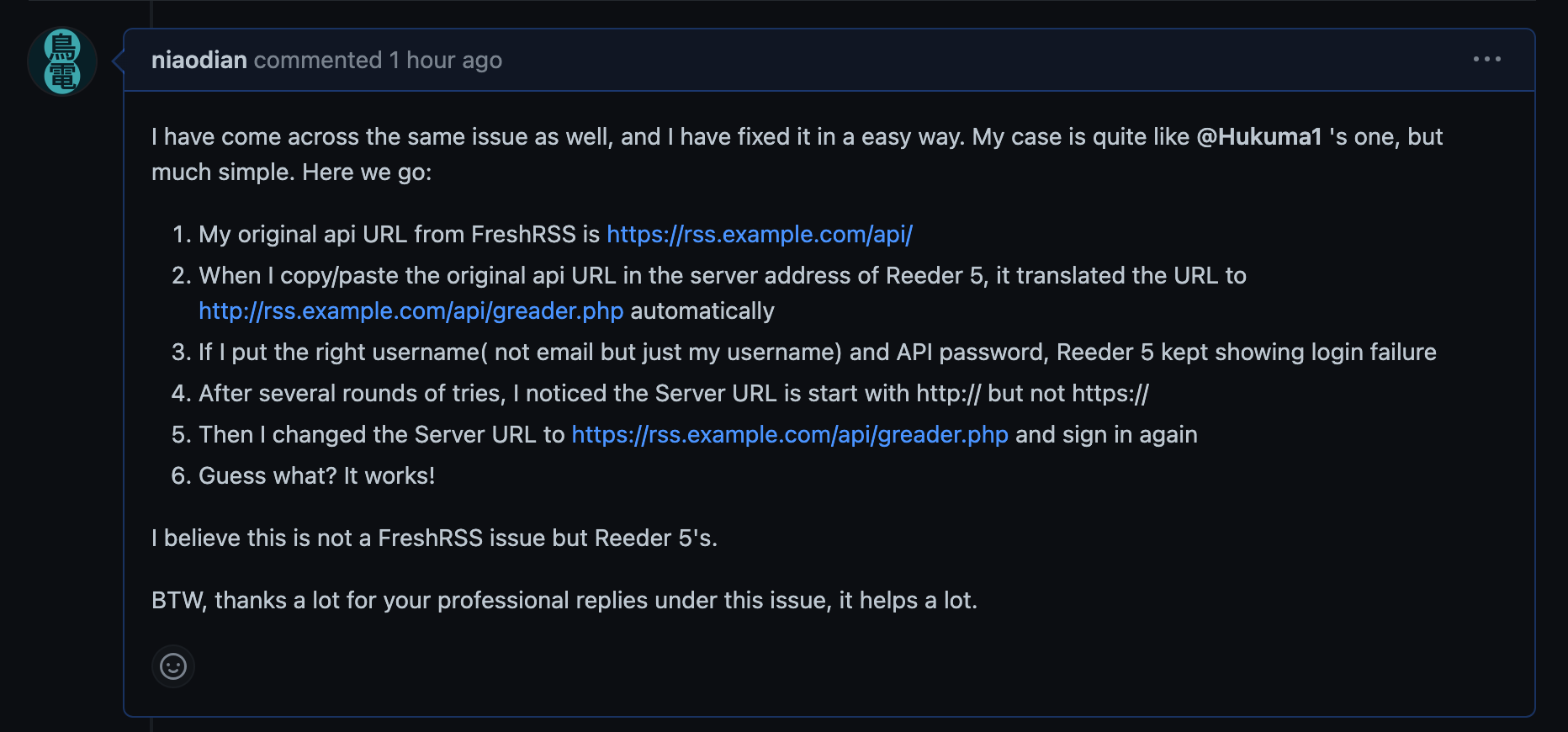
Simply put, to solve the Reeder 5 login failure, you need to change the URL in the Server field from http:// to https://. When it automatically converts our API URL, it changes https://rss.example.com/api/ into http://rss.example.com/api/greader.php, which causes the login to fail repeatedly. Considering that Reeder 5’s author has not updated it for several months, whether this issue will be fixed in the future is still unknown.
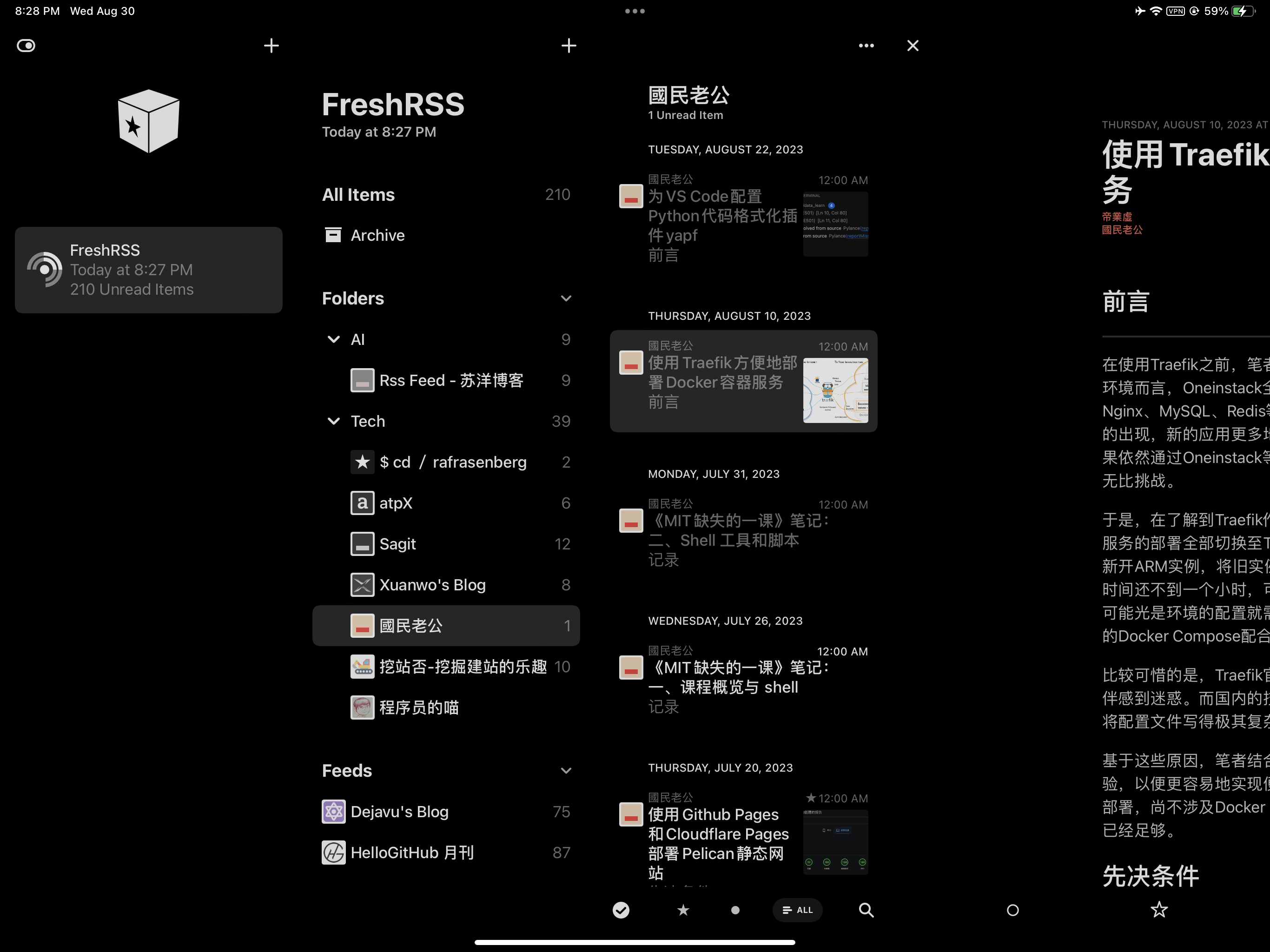 Open larger image: IMG_0330.PNG
Conclusion
Encountering FreshRSS by chance this time, I have to be honest: after actually using it, I found it truly impressive, and the user experience far exceeded expectations. In the world of algorithms, we should cherish original authors who are still quietly writing independent blogs (such as yours truly; applause here 👏), and even more importantly, cherish the ability to read and think independently.
As for RSSHub, during my own practice I found that some social platforms (such as X) seem to have blocked RSSHub, even when using a self-hosted setup. If you encounter some custom Feeds that simply cannot be added successfully, there is no need to get too hung up on it.
Finally, I encourage everyone to try FreshRSS and RSSHub. They are indeed very practical.
Last but not least, thanks to Oracle Cloud Infrastructure for providing cloud computing instances. Without OCI, we developers would have to face high infrastructure costs when trying new technologies and products. It is Oracle’s kindness that allows technology to benefit more people. Thank you!