Python
Setting Up the yapf Python Formatter in VS Code
Let us talk about setting up the Python formatting plugin yapf in VS Code. In actual use, yapf together with flake8 does a pretty good job of keeping Python code formatting under control.
On this page
Foreword
Before I started using VS Code, I had always been editing Python code in Sublime Text. For a long time, I did not even know there was such a thing as a plugin system. After switching to VS Code, I found one amazing plugin after another and started exploring them. yapf, which this article discusses, is one of them.
yapf is an open-source tool from Google for formatting Python code. It can beautify code with a single click. It supports two styles: PEP8 and Google Style.
A typical Python code-style setup usually involves the following 3 kinds of tools:
Code formatting: pep8, flake8
Static checking: yapf
Automatically sorting import package: isort
Let us take a look at how to configure them.
Prerequisites
- VS Code is installed, with Python language support configured
- Conda is installed for environment management
Deployment Steps
1. Use conda to install the code-style tools in the current environment
conda install yapf flake8 isortNote: you can also install them with pip3. Since I use conda for environment management, conda is used as the example here.
2. Enable yapf in VS Code settings:
- Click the settings button in the lower-left corner of VS Code and choose “Settings”
- In the upper-right corner of the settings page, open
settings.json - In
settings.json, set “python.formatting.provider”: “yapf”
3. Example configuration file:
{
    "workbench.colorTheme": "Solarized Dark",
    "[python]": {
        "editor.formatOnType": true,
        "editor.codeActionsOnSave": {
            "source.organizeImports": true
        }
    },
    "terminal.integrated.inheritEnv": false,
    "files.trimTrailingWhitespace": true,
    "python.linting.flake8Enabled": true,
    "python.linting.flake8Args": [
        "--max-line-length=128"
    ],
    "python.linting.pylintEnabled": false,
    "python.formatting.provider": "yapf",
    "python.formatting.yapfArgs": [
        "--style",
        "{column_limit: 128}"
    ],
    "editor.formatOnSave": true,
    "editor.formatOnPaste": true,
    "files.autoSave": "onFocusChange"
}
4. Once the setup is done, code will be formatted automatically.
The settings above already define automatic formatting when you save or paste code. If you want to format manually, you can use these shortcuts:
Mac: Shift + Option + F
Windows:Shift + Alt + F
Linux:Ctrl + Shift + `I
5. What it looks like in practice:
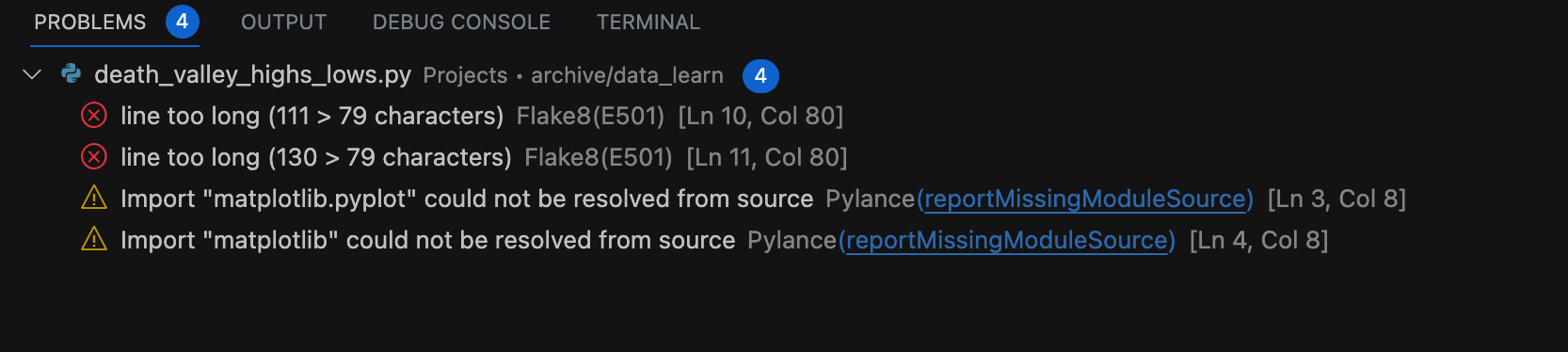 Open larger image: image.png
Summary
Automatic code-style checking is a very practical trick. It can fix many small details automatically (for example, adding a space after =), which helps build good coding habits. When there is a syntax error, it can also clearly tell the user where the problem is. I recommend every beginner in Python set this up.